
Design, Document, and Visualize Ideas in One Place
Create system designs, workflows, architecture diagrams, and documentation together in a single collaborative workspace.

Product Tour
A Workspace Designed for Builders
Manage diagrams and projects in a clean workspace.
An intuitive dashboard workspace designed to let you structure file paths, manage team diagrams, archive projects, and search through items instantly.
- Workspace file directories & folders
- Team creation and fast selector toggle
- File status updates, deletes & search
Explore features
Everything You Need to Ship Designs
Diagram Editor
Drag, draw, and connect elements with Excalidraw's powerful whiteboard. Design shapes, systems, and user flows with ease.
Visual Workflow Builder
Map complex logic, business processes, and customer journeys with standard flowchart boxes, connectors, and notes.
Documentation Workspace
Write structured markdown docs with headers, paragraphs, lists, and checklists side-by-side with your whiteboard.
Infinite Canvas
An boundless canvas that gives you the freedom to scale diagrams from simple components to complex microservice networks.
Project Organization
Organize files, manage teams, search documents, and separate personal workspaces inside a clean directory tree.
AI Assisted Diagram Creation
Create templates, speed up workflows, and build systems with structured visual canvas blocks designed for modern development teams.
Simple Workflow
How PixErase Works
Create a Workspace
Launch a clean diagram workspace in seconds. Give it a name and start mapping your software model or layout.
Build Diagrams & Workflows
Draw shapes, configure nodes, group components, and build flows on a premium glassmorphic canvas.
Document & Share Ideas
Write rich text document logs, code specs, and checklists alongside your diagram. Export your whiteboard as images for slides or updates.
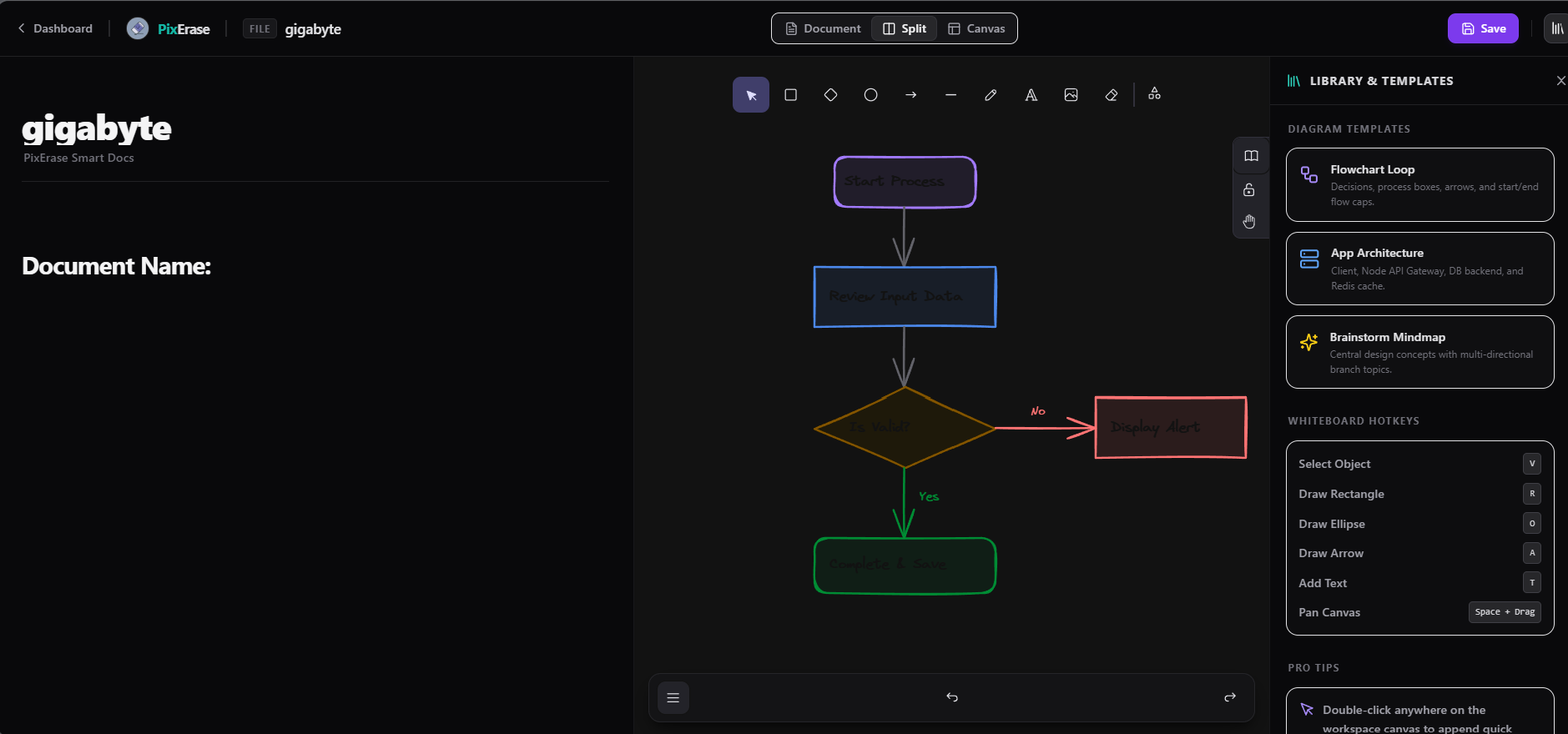
The Power of Split Editing
No more switching between documentation tabs and whiteboard tools. Keep the full picture of your systems, architectures, and design logs in a single screen. When you edit documents, it autosaves with your visual whiteboard drawings.
Start Building Better Diagrams Today
Create workflows, documentation, and diagrams from a single workspace.